Family Axis SoftwareIntroducing Our Staff Training Tracker

· 4 min read
Looking for an easier way to keep track of staff training in your residential family centre? In this article, we introduce the staff training tracker in FamilyAxis, where staff can record what they’ve completed and managers can review certificates, spot upcoming expiry dates and organise refresher training.
Training records can be surprisingly difficult to keep together. A certificate might be saved in one folder, a refresher date noted elsewhere, and a manager may still need to ask what someone took away from a course.
Some organisations use a separate HR platform to manage it all, but that brings another subscription to pay for and another system for the team to learn. It’s a lot to keep on top of when you’re trying to support staff development or prepare for an inspection.
Key Takeaways
- Staff can add training records, reflections and certificates to their own profiles.
- Managers can review submissions and ask for corrections before verifying them.
- Expiring and expired training is brought to managers’ attention.
- A team overview helps managers see where records need a closer look.
- Previous versions are kept when a training record is updated.
A Training Record That Tells You More
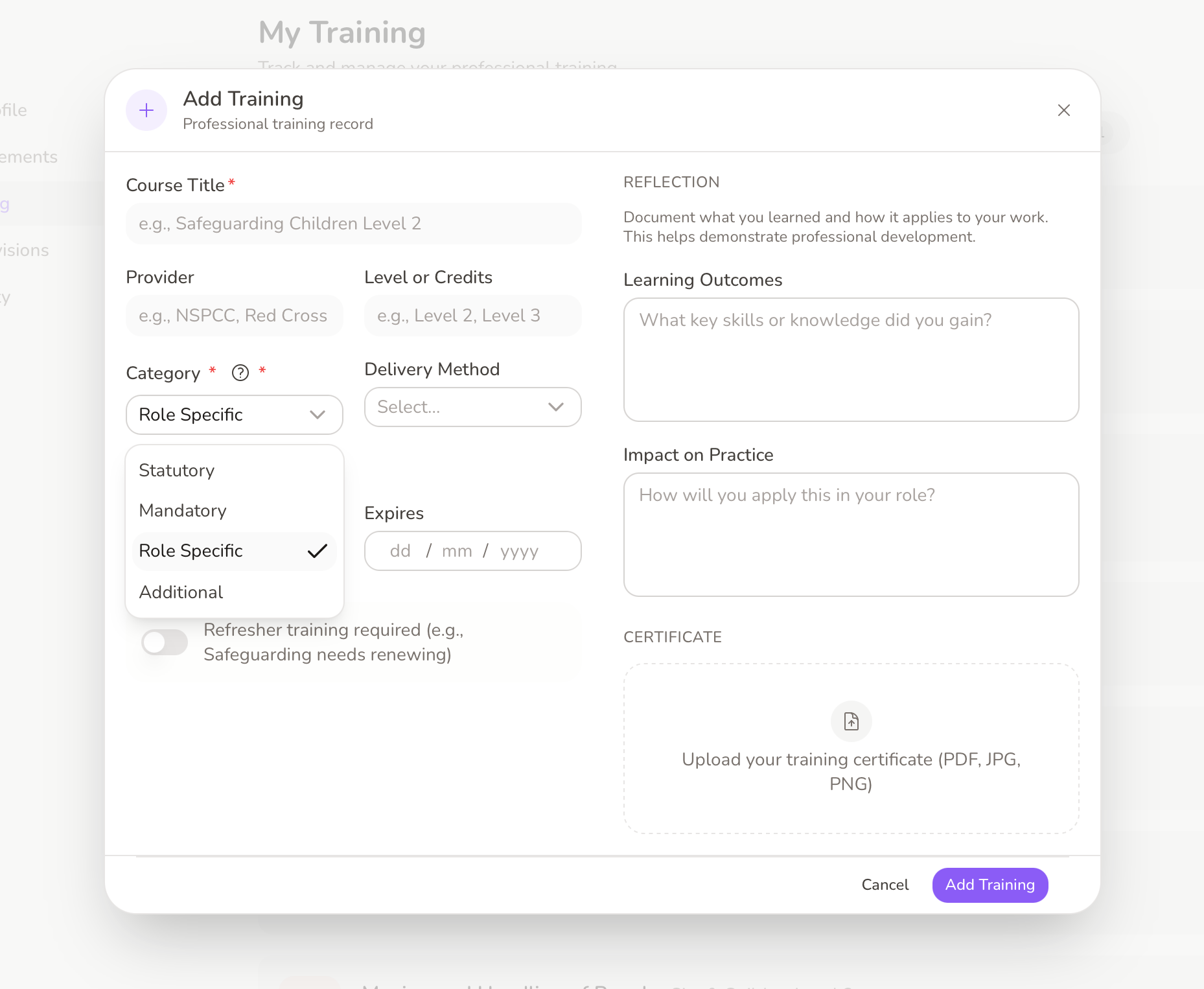
When a staff member completes a course or workshop, they can add it to their Training page in FamilyAxis. Alongside the course name and provider, they can record when it was completed, whether a refresher is needed and when it expires. They can also upload a certificate if they have one.
We wanted the record to say more than “course completed”. Staff can write a short reflection on what they learned and how it might affect their work. Ofsted’s inspection framework for residential family centres says training and development should be evaluated to ensure they lead to effective practice. A sentence or two gives managers a useful starting point for discussing that in supervision, rather than treating a certificate as the whole story.
Training can be grouped as statutory, mandatory, role-specific or additional, making it easier to find the right records later. The centre still decides which training each role needs; the categories simply help keep its records organised.
Reviewing and Verifying Training
Once a staff member submits a record, it shows as In Review until a manager has checked it. The manager can look at the details and any certificate before verifying the submission.
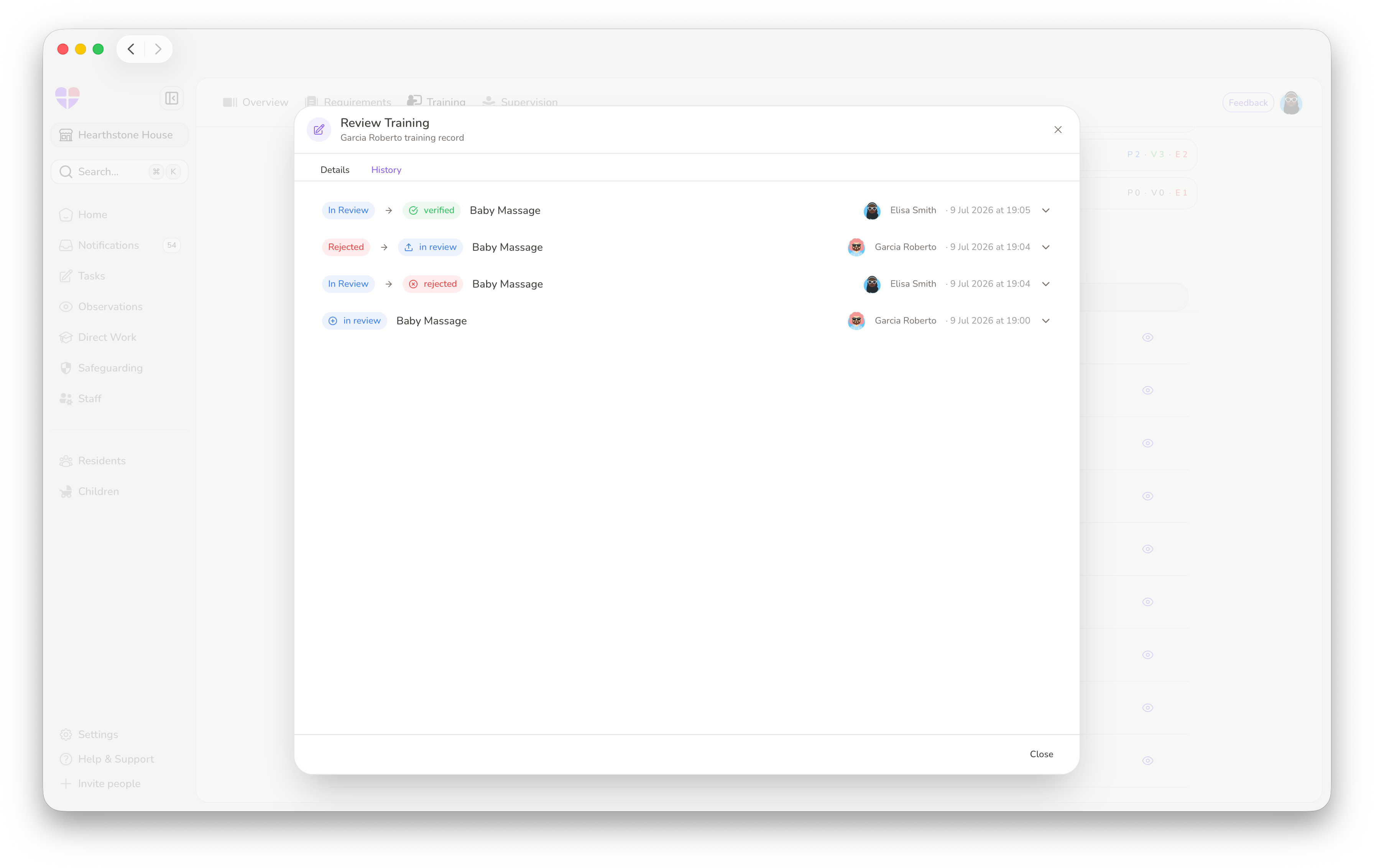
If something needs correcting, the record can be rejected with a reason. The staff member can see that feedback, make the changes and send it back for review. It’s a straightforward way to keep the record accurate without losing the staff member’s involvement in it.
Verified records are protected from changes until they’re approaching expiry or have expired. When a record is updated, its earlier version is kept in the History tab, so managers can see what changed rather than having to rely on the latest entry alone.
Seeing What Needs Attention
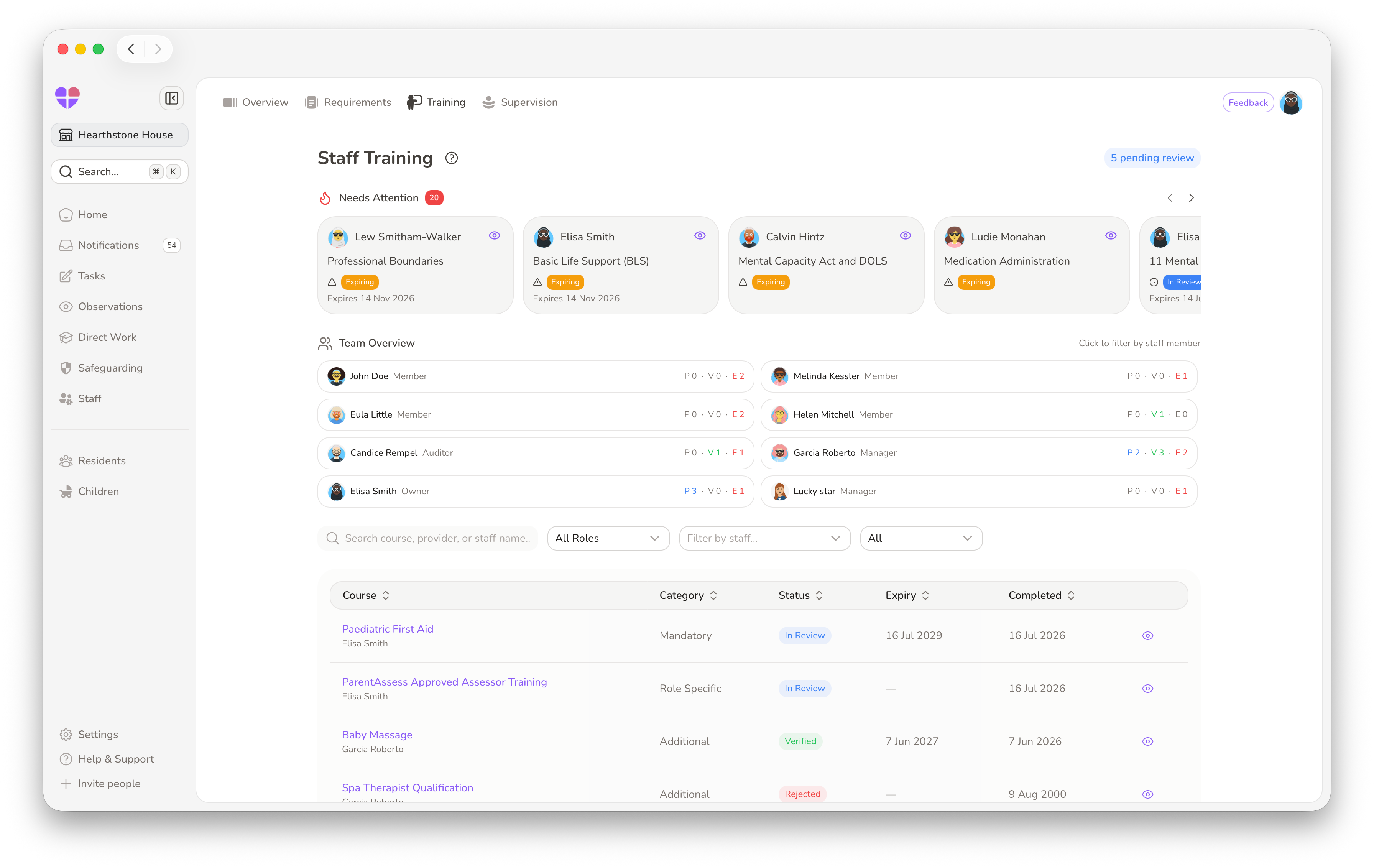
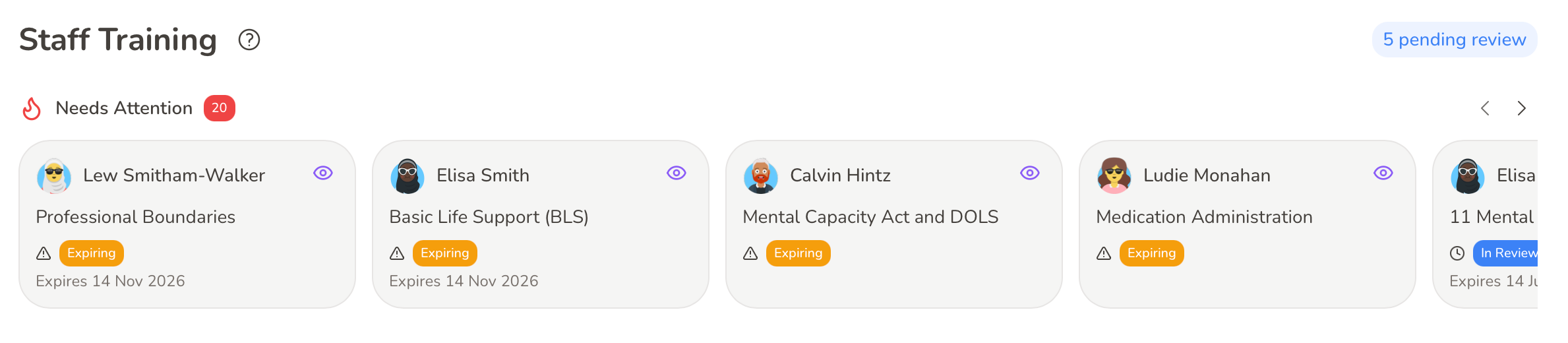
For management, the Staff > Training page brings the team’s records together. The Needs Attention area shows training that is expiring or has expired, with the staff member, course and expiry date visible on each card. If a reminder is needed, a manager can send one from the record and the staff member receives a notification linking them back to it.
The Training Overview gives managers a quick view of each person’s pending, verified and expired records. They can then filter the training list by staff member, role or status to look more closely at what needs reviewing or renewing.
That overview doesn’t replace a manager’s judgement about whether the team has the right training. It gives them a clearer place to start, particularly when they’re checking records across a busy centre.
Supporting the People Behind the Records
Training is about more than keeping certificates on file. Regulation 17(5) of the Residential Family Centres Regulations 2002 requires centres to ensure staff receive appropriate training, supervision and appraisal. Standard 16 of the National Minimum Standards also describes the importance of learning and development that helps staff meet families’ needs and keep their skills up to date.
Our training tools can’t decide what someone needs to learn or replace the conversations that help them grow. They can make it easier to keep those conversations connected to a clear record: what a staff member completed, what they took from it and what may need renewing next.
That’s what we’ve tried to build into FamilyAxis. A place for staff to keep track of their development, and for managers to support it without having to pull the picture together from several different places.
Sources
- Department for Education (2013), Residential Family Centres National Minimum Standards, Standard 16: direct PDF
- The Residential Family Centres Regulations 2002, Regulation 17(5): legislation.gov.uk